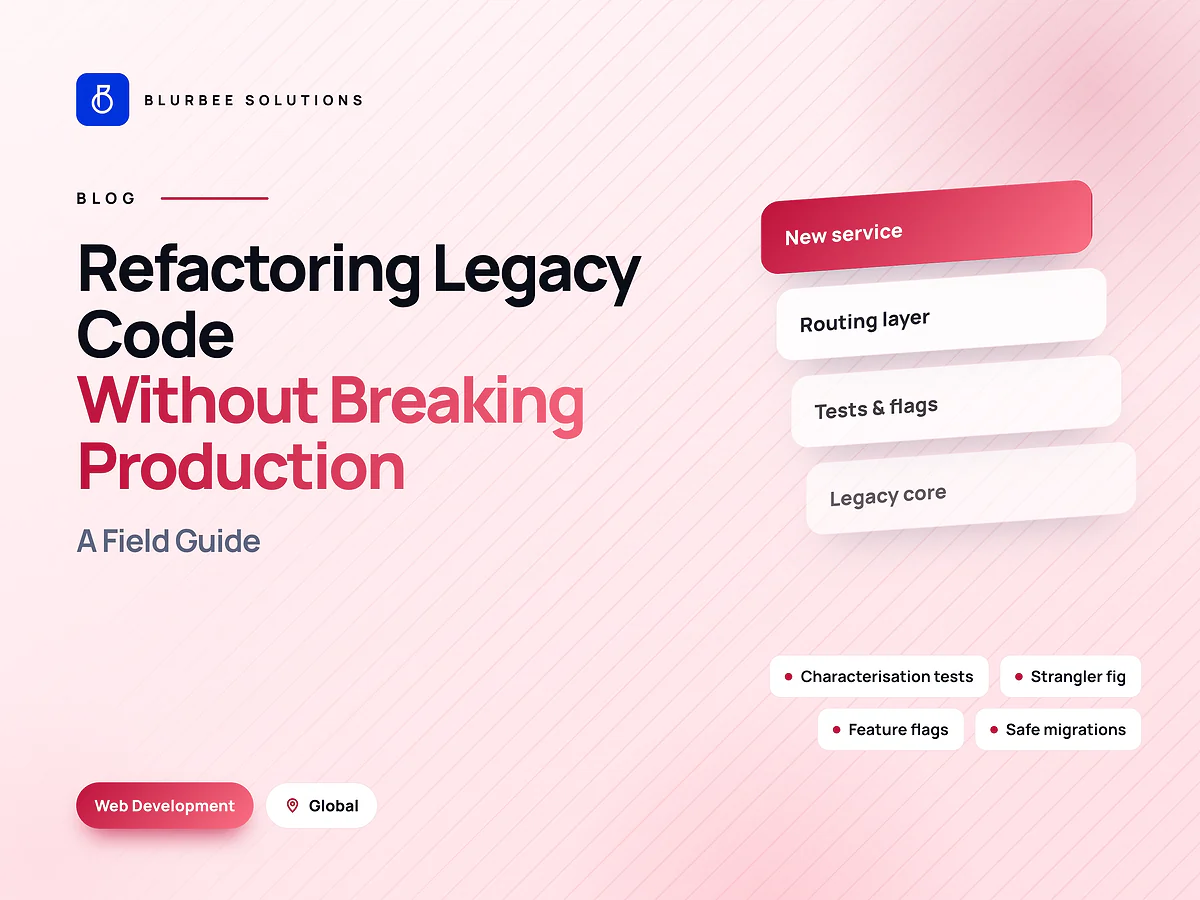
Refactoring a Legacy Codebase Without Breaking Production: A Field Guide
How to modernise a legacy codebase while it keeps running: characterisation tests, the strangler fig pattern, feature flags and safe data changes.

Every company eventually has one: the system that runs a critical part of the business, that nobody fully understands, and that everyone is afraid to touch. Changes take weeks. Releases happen at night. The engineers who built it left years ago.
The tempting answer is a rewrite. The better answer, most of the time, is to change it safely while it keeps running. This is how.
Why rewrites usually disappoint
A rewrite looks clean on paper: a new stack, a clean design, no baggage. In practice:
- The business waits. Months of work produce nothing users can see, while the old system still needs fixes.
- Hidden behaviour gets lost. Legacy systems encode years of edge cases, workarounds and business rules nobody wrote down. The rewrite misses some, and users find out.
- The target moves. By the time the rewrite is ready, requirements have changed.
- It launches all at once, which is the riskiest possible way to release software.
Rewrites are right in a few cases: the platform is genuinely unsupportable, the system is small and well understood, or the old behaviour is not worth keeping. Otherwise, refactor in slices.
Step 1: understand what it actually does
Michael Feathers famously defined legacy code as code without tests. Before changing anything, you need to know what the system does, not what the documentation says it does.
- Trace real requests through logs and monitoring.
- Talk to the users, especially about the odd behaviour they rely on.
- Map change and failure hotspots from version history and incident records.
- Write characterisation tests that capture current behaviour.
Characterisation tests record outputs for representative inputs and lock them in. They do not judge whether the behaviour is correct. They make sure you notice if it changes. That is what makes every later step safe.
Step 2: pick the first slice
Start where the code changes most often and breaks most often. That is where modernisation pays back fastest, and where the team feels the benefit immediately.
Avoid starting with the most complex, least-changed core. It is the riskiest place to learn, and improving it delivers little day-to-day benefit.
Step 3: strangle, don't replace
The strangler fig pattern, named by Martin Fowler, replaces a system gradually. A routing layer sits in front of the old system. New or rewritten functionality is built alongside it, and traffic for one route or feature at a time moves to the new code. Eventually the old system handles nothing and can be switched off.
This works at many levels: routes in a web application, modules in a monolith, or screens in a front end, such as moving from AngularJS to a modern framework one view at a time.
Step 4: make every change reversible
- Small changes shipped often. Research from the DORA programme associates smaller, more frequent changes with lower failure rates.
- Feature flags to switch new code on for a small share of users first, and off instantly if needed.
- Monitoring on error rates, latency and business metrics for every release.
- Tested rollback, practised rather than assumed.
Step 5: change data carefully
Data is where legacy modernisation breaks most often. Use expand-and-contract migrations:
- Expand: add the new structure alongside the old.
- Dual write: update code to write to both.
- Backfill existing data into the new structure.
- Switch reads to the new structure and verify.
- Contract: remove the old structure once nothing depends on it.
At every stage, both old and new code can run. There is no moment where everything must change at once.
Step 6: clean up
Each slice ends by deleting what it replaced: old routes, dead code, unused tables and obsolete flags. Skipping this step is how a modernisation programme leaves behind two systems instead of one.
Keep shipping features
Incremental modernisation lets the business keep moving. New features are built in the modern code wherever possible, which advances the migration instead of competing with it. Stakeholders see progress every few weeks instead of waiting a year for a launch.
What it looks like in practice
A typical slice takes two to six weeks. The first one is slower because it includes understanding the system and setting up the routing, flags and test harness. Later slices get faster, because that foundation is already in place.
For framework-specific guidance, see our Angular upgrade guide; for keeping the modernised system healthy afterwards, see what a maintenance retainer should include.
Warning signs that it is time to act
Legacy code is not a problem in itself. Plenty of old systems run fine. It becomes a problem when you see:
- Simple changes taking weeks, because nobody is sure what else they will affect.
- Releases batched and done at night out of fear.
- The same incidents recurring in the same areas.
- Unsupported runtimes or frameworks, so security fixes no longer arrive.
- One or two people who are the only ones able to change certain parts.
- Hiring difficulty, because candidates will not work on the stack.
Two or more of these usually means incremental modernisation will pay back quickly, starting with the area that hurts most.
What not to do
- Do not start with a big-bang rewrite unless the system is small and well understood.
- Do not refactor without tests that capture current behaviour.
- Do not change data and code in the same release when you can separate them.
- Do not leave both systems running forever. Every slice ends by deleting what it replaced.
Start with a risk map
The first fixed-scope project is two to four weeks: we map the system, identify hotspots, write characterisation tests for the first slice, and ship it behind a flag. You end with a safer codebase and a costed plan for the rest. We deliver this for teams across India, the United States, the United Kingdom, the UAE and Canada.
Legacy modernisation, in numbers
Blurbee delivery practice, indicative split for one slice of a web application. Varies with test coverage and documentation.
Why teams modernise legacy systems with Blurbee
We do not start with a rewrite. We start by pinning down what the system actually does, then change it in small, reversible steps while the business keeps running. Every step ships to production and every step can be rolled back.
- Fixed-scope first projectTwo to four weeks, priced as a number rather than an estimate, so you have evidence before a longer commitment.
- One delivery lead, namedYou always know who to ask. No account manager relaying questions to a team you never meet.
- Code and IP are yoursAssigned in writing, handed over with repositories, infrastructure definitions and documentation whether or not you continue with us.
- Performance budgets in CICore Web Vitals and bundle size gate the build. Slow does not ship.
- Accessibility to WCAG 2.2 AAReviewed with automated and manual passes, not claimed on a slide.
- Written overlap disciplineStanding calls inside your working window, everything else asynchronous with a decision log.