Education-Tech App Development in the San Francisco Bay Area: What Building an LMS or Learning App Actually Requires
What an LMS or learning app really needs in the Bay Area: COPPA and FERPA, LTI and SSO for schools, accessibility, offline video, and realistic USD budgets.

Bay Area edtech founders tend to arrive with a strong learning idea and a funding timeline, and to underestimate everything around the idea: student data law, school procurement, single sign-on, accessibility, and the fact that a large share of learners use old phones on unreliable connections. None of those is exotic. All of them decide whether schools and parents can actually adopt the product.
This is what building a learning management system or learning app requires in practice, and how to scope it against the runway to your next raise.
Custom LMS, existing platform, or both
The first decision is whether you need to build a learning platform at all.
Use an existing LMS such as Moodle, Canvas or a SaaS course platform when you are delivering standard courses: video, readings, quizzes, certificates. Rebuilding that is expensive and rarely differentiates you.
Build custom when the learning experience is the product: adaptive practice, a new assessment format, tutoring workflows, a consumer learning app with its own engagement model.
Do both when selling to schools and universities. Build the distinctive learning tool, then make it launch inside the institution's existing LMS through LTI 1.3, the 1EdTech standard that passes the signed-in student in and the grade back out. Teachers will not adopt a tool that needs its own login and its own gradebook.
Student data law is a design input
COPPA. If your app is directed at children under 13, or you know you are collecting their data, the FTC's rule requires verifiable parental consent before collecting personal information, a clear notice, and limits on use and retention. Third-party SDKs are the usual problem: analytics and advertising libraries that collect identifiers nobody decided to collect.
FERPA. When schools share student education records with you, you act on their behalf and must use the data only for that service, protect it and not re-disclose it. Districts send security questionnaires and data agreements before rollout.
California specifics. SOPIPA restricts how K-12 online services use student data, including a ban on targeted advertising, and CCPA/CPRA applies to most consumer products.
We design for these from the first sprint: data minimisation, consent flows, role-based access for students, teachers and admins, retention rules enforced by the system, and an SDK inventory.
Sign-in and rostering decide adoption
The fastest way to lose a classroom is a password reset queue. Schools expect:
- Single sign-on with Google Workspace for Education and Microsoft accounts.
- Rostering through Clever or ClassLink for K-12, so classes and students appear automatically.
- LTI 1.3 for universities and districts on Canvas, Moodle, Blackboard or Schoology.
Budget these as core features, not integrations for later.
Design for the device students actually have
Bay Area founders test on new laptops. Many learners use shared Chromebooks, older Android phones and patchy home connections. That changes the build:
- Adaptive video with short segments and captions.
- Offline lessons where content licensing allows.
- Light pages with performance budgets enforced in CI.
- Autosave on every assessment answer, because connections drop mid-quiz.
Accessibility is a procurement requirement
US school districts and universities increasingly require WCAG 2.2 AA evidence before purchase. The common gaps in learning products are uncaptioned video, assessments that rely on drag and drop or colour alone, timed questions without accommodation, and missing screen-reader labels. Fixing them after launch costs far more than designing them in.
Assessment and progress data
Learning products live on their data model: courses, modules, attempts, scores, mastery, time on task. Get it right early:
- Store every attempt, not just the latest score, so teachers can see learning over time.
- Separate content from delivery, so courses can be updated without breaking progress records.
- Export cleanly to CSV and LMS gradebooks, because teachers and administrators will ask.
Rates and budgets in the Bay Area
Bay Area agencies typically charge $160-220 per hour for mid to senior product engineering, studios $120-170 and senior contractors $100-160. Our blended team, including QA and a delivery lead, is $22-45.
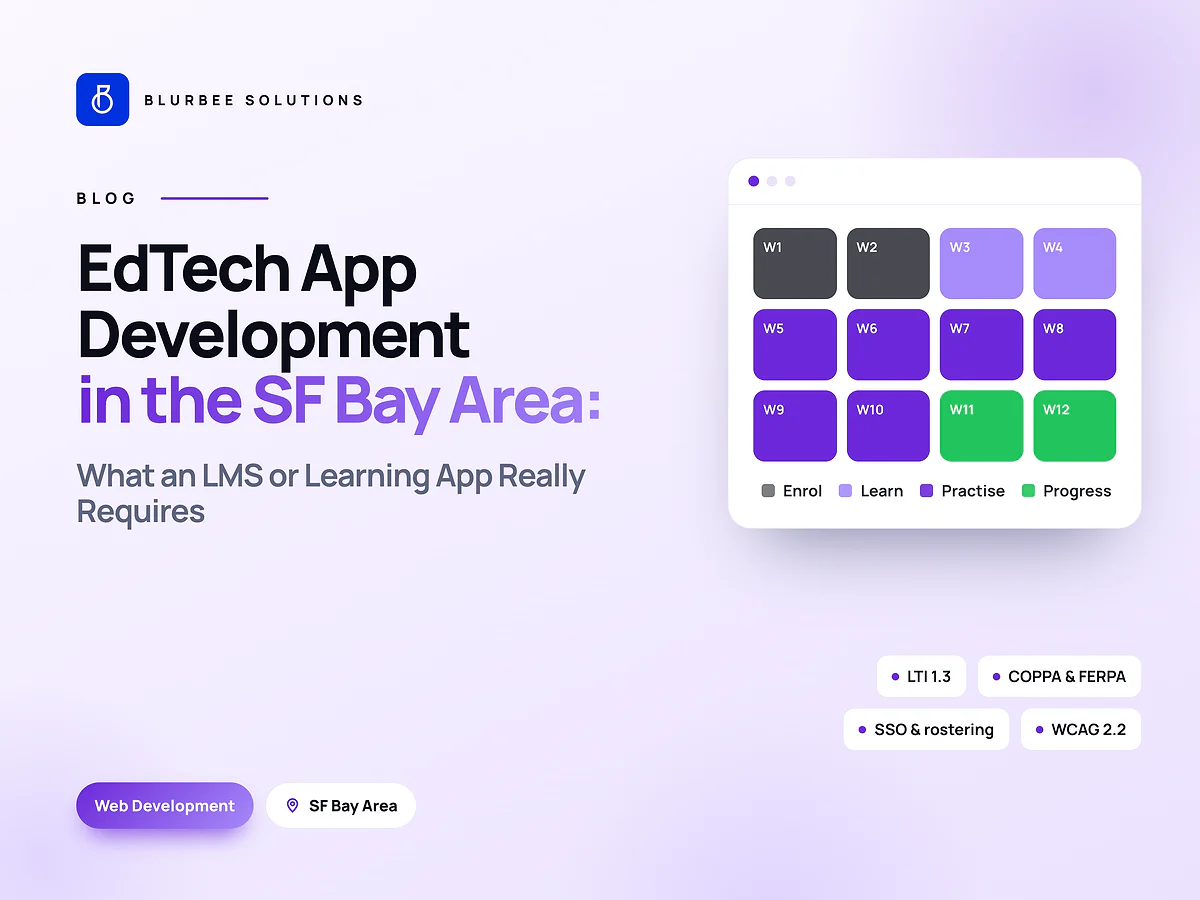
As shapes: a focused first release with courses, progress, one assessment type and basic admin is usually ten to sixteen weeks. LTI, rostering and a full accessibility pass add time, but they are what make school sales possible.
Working across Pacific time
We keep one hour of live overlap with Pacific time plus an early-evening IST slot. Product reviews and decisions happen there; building happens while the Bay Area sleeps, with a written handoff each morning. For seed-to-Series-A teams that rhythm often means features land overnight rather than in two weeks.
Questions to ask any edtech vendor
- Have you shipped LTI 1.3 and SSO with Google, Microsoft, Clever or ClassLink? Ask to see it working.
- How do you handle COPPA consent and third-party SDKs? Expect a concrete inventory, not a promise.
- What is your accessibility process? Look for WCAG 2.2 AA testing with real assistive technology.
- How do you model attempts and progress? Teachers will ask for history, not just latest scores.
- Who owns the student data and the code? You should, with deletion on request built in.
A typical first-release scope
For a seed-stage learning app, a realistic first release covers: sign-in with one SSO provider, one course structure, video and reading lessons with captions, one assessment type with autosave, a progress view for learners, a simple teacher dashboard, and an admin area for content. LTI and rostering follow in the next release once a pilot school is signed. Keeping v1 that small is what lets it ship before the next fundraising conversation.
Start with one learning loop
The first fixed-scope project is one complete loop for one audience: enrol, learn, practise, get feedback, see progress. Two to four weeks, tested with real learners, and a priced plan for the rest of the release.
For the backend choices behind a learning platform, see Node.js vs NestJS; for accessible interface work, see our UI/UX audit guide.
Building edtech in the Bay Area, in numbers
Composite of published Bay Area agency and contractor rates and Blurbee quoted rates, 2026. Indicative bands only.
Why Bay Area edtech founders build with Blurbee
We scope learning products around the round you are raising toward, design for students and teachers on cheap devices, and treat COPPA, FERPA and accessibility as build items rather than legal footnotes.
- Fixed-scope first projectTwo to four weeks, priced as a number rather than an estimate, so you have evidence before a longer commitment.
- One delivery lead, namedYou always know who to ask. No account manager relaying questions to a team you never meet.
- Code and IP are yoursAssigned in writing, handed over with repositories, infrastructure definitions and documentation whether or not you continue with us.
- Performance budgets in CICore Web Vitals and bundle size gate the build. Slow does not ship.
- Accessibility to WCAG 2.2 AAReviewed with automated and manual passes, not claimed on a slide.
- Written overlap disciplineStanding calls inside your working window, everything else asynchronous with a decision log.