Cloud and DevOps in Austin: Cloud Cost Audits That Actually Save Money
A cloud cost and architecture audit for Austin startups: where the money goes, rightsizing, commitments, data transfer, tagging and USD budgets.

Austin startups run lean, and the cloud bill gets read line by line by a founder rather than a FinOps team. That is a good instinct. The problem is that cloud bills are hard to read: thousands of line items, cryptic service names, and costs that grew quietly while the team was focused on shipping.
A cloud cost audit turns that bill into a ranked list of changes with dollar estimates. This is how we run one.
Why startup cloud bills drift
The pattern is familiar. Infrastructure was set up quickly for launch. Instances were sized for a load test or a guess. Development environments were cloned from production and never turned off. Nobody tagged resources, so nobody knows which team or feature drives cost. Each month the bill rises a little, and the explanation is always "growth".
Flexera's 2024 State of the Cloud report found organisations estimate around 27% of their cloud spend is wasted. Fast-growing startups without tagging or budgets are often above average.
Week one: understand where the money goes
We start with read-only access to billing and infrastructure:
- Cost by service, account and environment, over the last six to twelve months.
- Top 20 resources by spend, which usually account for most of the bill.
- Utilisation of compute, databases and clusters.
- Data transfer patterns between zones, regions and the internet.
- Commitment coverage: how much steady usage is paid at on-demand prices.
The output is a map of where the money goes and what drives it.
The six areas where savings hide
1. Oversized compute and databases. Instances running at 10-20% CPU. Databases provisioned for peak traffic that happens once a quarter.
2. Missing commitments. Steady baseline usage paid at on-demand rates. Savings plans or reserved capacity help, but only after rightsizing, otherwise you lock in waste.
3. Idle and non-production resources. Forgotten instances, unattached volumes, load balancers with no targets, and development and staging environments running nights and weekends.
4. Storage. Logs and objects that never move to cheaper tiers, and old snapshots and backups kept indefinitely.
5. Data transfer and NAT. Cross-zone chatter between services, traffic through NAT gateways that could use private endpoints, and assets served without a CDN.
6. Kubernetes utilisation. Clusters with low node utilisation and inflated resource requests. For small teams, managed containers or serverless can be cheaper and simpler.
Week two: rank, estimate, implement the safe wins
Each finding gets an estimated monthly saving, effort, and risk. Safe changes, such as deleting confirmed-idle resources and scheduling non-production shutdowns, are implemented during the audit. Riskier changes, such as rightsizing production databases, come with a plan and rollback.
Keep the savings
Savings erode within months unless the habits change:
- Tag everything by team, product and environment.
- Budgets and anomaly alerts that reach a person.
- Scheduled non-production environments.
- A monthly cost review, fifteen minutes with the bill and the tag report.
- Cost checks in CI for infrastructure-as-code changes where practical.
Regions and data
Azure's South Central US region and Google Cloud's us-south1 are in Texas, and AWS has Local Zones nearby, but region choice should follow latency, compliance and service availability, not cost alone. If restructuring moves where customer data lives, check the Texas Data Privacy and Security Act and any customer contract terms. Enterprise customers of Austin SaaS firms usually expect SOC 2 evidence too.
Rates in Austin
Austin consultancies typically charge $90-170 per hour for cloud and DevOps work. Our blended cloud team is $26-52. We keep 2.5 hours of live overlap with Central time.
A sample savings list
Each finding is written with its estimated saving, effort and risk:
| Finding | Est. monthly saving | Effort | Risk |
|---|---|---|---|
| Staging and dev running 24/7 | High | Small | Low |
| Production database at 15% CPU | Medium | Medium | Medium |
| No savings plan on steady compute | Medium | Small | Low |
| Old snapshots and unattached volumes | Low-medium | Small | Low |
| Cross-zone traffic between services | Medium | Medium | Medium |
The ordering is the point: low-risk, low-effort savings first, so the audit pays for itself before anything risky is touched.
Start with two weeks of read-only access
The first fixed-scope project is a two-week audit with a ranked savings list and quick wins implemented. All changes happen in your accounts, with your approval. For release pipelines that cut engineering time as well as cost, see CI/CD setups that cut release time.
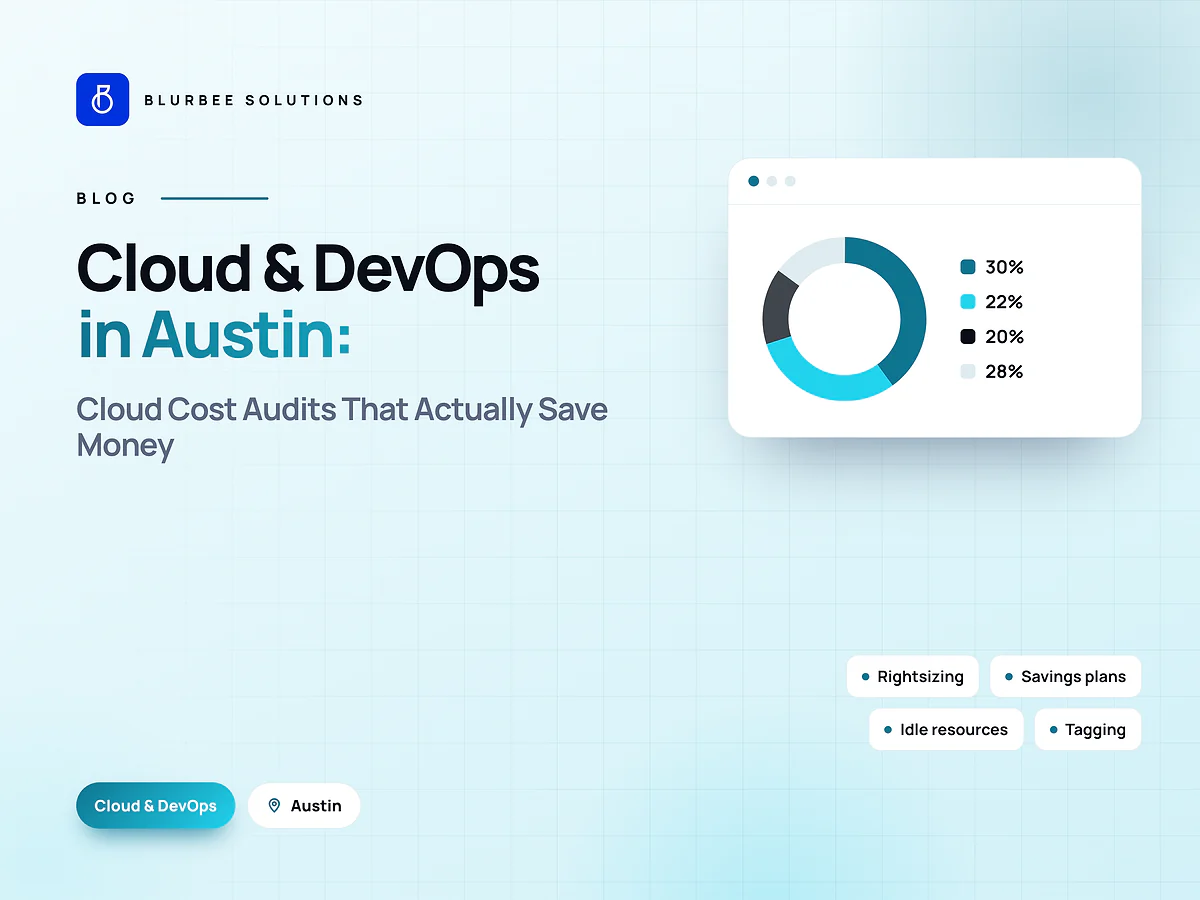
Cloud spend, in numbers
Blurbee's assessment of the usual share of identified savings by area, for early-stage SaaS on AWS, Azure or GCP. Indicative, varies widely.
Why Austin startups audit their cloud with Blurbee
We read the bill line by line, change only what we can measure, and leave tagging, budgets and alerts in place so the savings stay saved. Everything stays in your accounts.
- Fixed-scope first projectTwo to four weeks, priced as a number rather than an estimate, so you have evidence before a longer commitment.
- One delivery lead, namedYou always know who to ask. No account manager relaying questions to a team you never meet.
- Code and IP are yoursAssigned in writing, handed over with repositories, infrastructure definitions and documentation whether or not you continue with us.
- Performance budgets in CICore Web Vitals and bundle size gate the build. Slow does not ship.
- Accessibility to WCAG 2.2 AAReviewed with automated and manual passes, not claimed on a slide.
- Written overlap disciplineStanding calls inside your working window, everything else asynchronous with a decision log.